
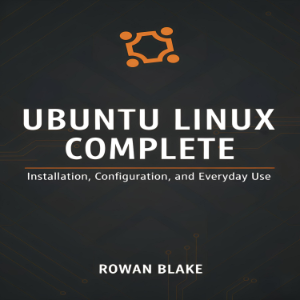
Premium
Title
1/28/2025
Introduction: Welcome to Ubuntu Linux
1/28/2025
Part I: Understanding Linux and Ubuntu Foundations
1/28/2025
Chapter 1: What Is Linux and How Does Ubuntu Fit In?
1/28/2025
Chapter 2: Preparing for Your Ubuntu Journey
1/28/2025
Part II: Installing Ubuntu
1/28/2025
Chapter 3: Obtaining and Preparing Ubuntu Installation Media
1/28/2025
Chapter 4: Installing Ubuntu on Your Computer
1/28/2025
Chapter 5: Dual-Boot and Alternative Installation Scenarios
1/28/2025
Part III: Navigating Your Ubuntu Desktop
1/28/2025
Chapter 6: Welcome to the GNOME Desktop Environment
1/28/2025
Chapter 7: Essential Ubuntu Applications for Everyday Use
1/28/2025
Chapter 8: Managing Files and Folders Effectively
1/28/2025
Part IV: Mastering the Linux Command Line
1/28/2025
Chapter 9: Introduction to the Terminal
1/28/2025
Chapter 10: Essential Command Line Operations
1/28/2025
Chapter 11: Advanced Command Line Techniques
1/28/2025
Part V: Software Management and System Maintenance
1/28/2025
Chapter 12: Installing and Managing Software
1/28/2025
Chapter 13: System Updates and Upgrades
1/28/2025
Chapter 14: System Backup and Recovery
1/28/2025
Part VI: Hardware Configuration and Optimization
1/28/2025
Chapter 15: Configuring Hardware and Peripherals
1/28/2025
Chapter 16: Networking and Internet Connectivity
1/28/2025
Part VII: Customization and Productivity
1/28/2025
Chapter 17: Customizing Your Ubuntu Experience
1/28/2025
Chapter 18: Productivity Tools and Workflows
1/28/2025
Chapter 19: Multimedia and Entertainment
1/28/2025
Part VIII: Security and Privacy
1/28/2025
Chapter 20: Securing Your Ubuntu System
1/28/2025
Chapter 21: Privacy and Anonymity
1/28/2025
Part IX: Troubleshooting and Problem Solving
1/28/2025
Chapter 22: Troubleshooting Common Issues
1/28/2025
Chapter 23: System Recovery and Advanced Troubleshooting
1/28/2025
Part X: Beyond the Basics
1/28/2025
Chapter 24: Development and Programming on Ubuntu
1/28/2025
Chapter 25: Server and Command Line Applications
1/28/2025
Conclusion: Your Ubuntu Journey Continues
1/28/2025
Ending Credits
1/28/2025