
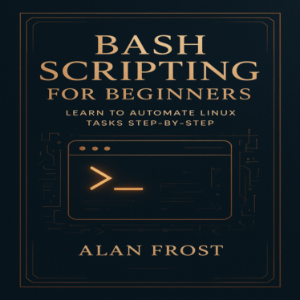
Premium
Title
1/29/2025
Introduction: Your First Step into Linux Automation
1/29/2025
Part I: Getting Started with the Linux Command Line
1/29/2025
Chapter 1: Understanding the Linux Shell
1/29/2025
Chapter 2: Mastering Basic Linux Commands
1/29/2025
Chapter 3: Understanding Permissions and Ownership
1/29/2025
Part II: Foundations of Bash Scripting
1/29/2025
Chapter 4: Your First Bash Script
1/29/2025
Chapter 5: Variables and Data Handling
1/29/2025
Chapter 6: Working with User Input
1/29/2025
Chapter 7: Understanding Conditional Statements
1/29/2025
Chapter 8: Loops and Iteration
1/29/2025
Part III: Practical Bash Programming
1/29/2025
Chapter 9: Working with Files and Directories
1/29/2025
Chapter 10: Text Processing and Data Streams
1/29/2025
Chapter 11: Functions and Code Reusability
1/29/2025
Chapter 12: Error Handling and Debugging
1/29/2025
Part IV: Automation and Real-World Applications
1/29/2025
Chapter 13: Automating System Tasks
1/29/2025
Chapter 14: Working with Processes and System Information
1/29/2025
Chapter 15: Managing Packages and Updates via Scripts
1/29/2025
Chapter 16: Networking and Remote Automation
1/29/2025
Chapter 17: Input Validation and Security Practices
1/29/2025
Chapter 18: Optimizing and Scaling Your Scripts
1/29/2025
Part V: Beyond the Basics
1/29/2025
Chapter 19: Working with External Tools
1/29/2025
Chapter 20: Creating Command-Line Utilities
1/29/2025
Chapter 21: Version Control and Collaboration
1/29/2025
Chapter 22: Building Your Automation Portfolio
1/29/2025
Conclusion: From Beginner to Automation Pro
1/29/2025
Appendices
1/29/2025
Appendix A: Common Bash Commands Reference
1/29/2025
Appendix B: Sample Scripts for Everyday Automation
1/29/2025
Appendix C: Recommended Tools and Learning Resources
1/29/2025
Ending Credits
1/29/2025